
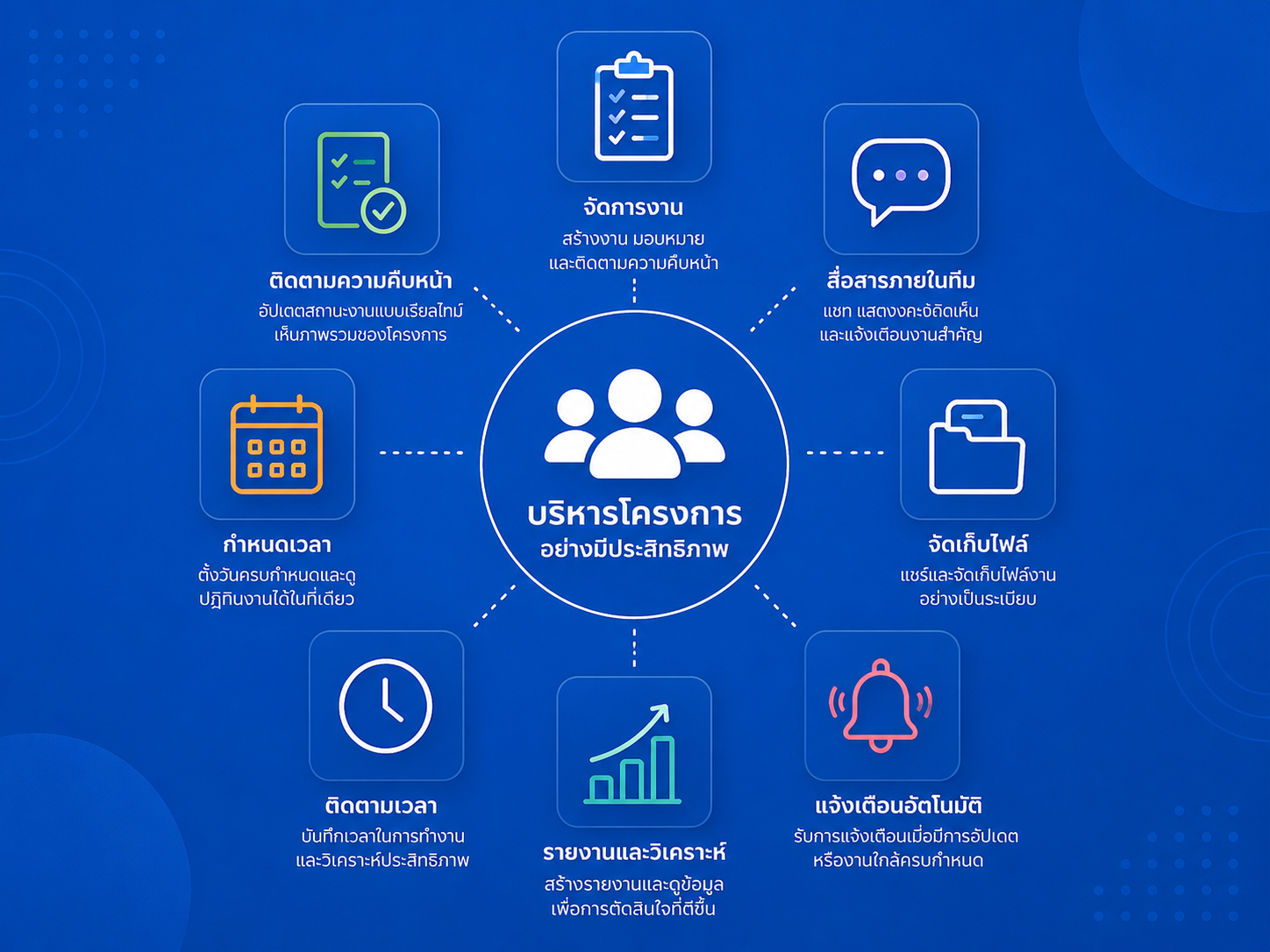
Managing projects with a small team can quickly become complicated. Tasks get buried in emails, deadlines are missed, and team members may not always know what they should be working on next.
The right project management software can solve these problems by giving your team one central place to organize tasks, communicate, share files, track deadlines, and monitor project progress.
But with dozens of project management platforms available, choosing the right one isn’t easy.
To help you decide, we’ve compared 10 of the best project management software platforms for small teams in 2026, focusing on ease of use, collaboration, automation, integrations, scalability, and overall value.
Quick Comparison: Best Project Management Software for Small Teams
| Software | Best For | Free Plan | Ease of Use | Our Rating |
|---|---|---|---|---|
| ClickUp | Best Overall | Yes | ★★★★☆ | 4.8/5 |
| monday.com | Visual Project Management | Yes | ★★★★★ | 4.7/5 |
| Asana | Task Management | Yes | ★★★★★ | 4.7/5 |
| Trello | Simple Kanban Boards | Yes | ★★★★★ | 4.6/5 |
| Notion | Projects + Documentation | Yes | ★★★★☆ | 4.6/5 |
| Teamwork | Client-Based Teams | Yes* | ★★★★☆ | 4.5/5 |
| Wrike | Growing Teams | Yes* | ★★★★☆ | 4.4/5 |
| Basecamp | Simple Team Collaboration | Varies | ★★★★★ | 4.4/5 |
| Zoho Projects | Budget-Conscious Teams | Yes* | ★★★★☆ | 4.3/5 |
| Airtable | Custom Workflows | Yes | ★★★★☆ | 4.3/5 |
Plan availability and pricing can change. Always check the provider’s current pricing before purchasing.
1. ClickUp — Best Overall Project Management Software
Best for: Small teams wanting an all-in-one project management platform
ClickUp is our top overall choice for small teams in 2026 because it combines task management, project planning, documents, collaboration, dashboards, automation, and time tracking in one platform.
Instead of using separate applications for tasks, documents, and project tracking, small businesses can centralize much of their workflow inside ClickUp.
Key Features
- Task and project management
- List, Board, Calendar and Gantt views
- Built-in Docs
- Native time tracking
- Dashboards and reporting
- Workflow automation
- Goals and milestones
- Integrations with popular business applications
Pricing
ClickUp offers a Free Forever plan. Its Unlimited plan is positioned specifically toward small teams and adds capabilities such as unlimited storage.
Pros
- Excellent feature-to-price ratio
- Highly customizable
- Multiple project views
- Built-in time tracking
- Strong automation capabilities
- Suitable for teams as they grow
Cons
- Large number of features can feel overwhelming initially
- Requires some setup to create the ideal workspace
Who Should Choose ClickUp?
Choose ClickUp if your team wants to replace several productivity applications with one flexible project management platform.
Our Rating: 4.8/5
Best Overall Choice
👉 [Try ClickUp Free →]
2. monday.com — Best for Visual Project Management
Best for: Teams that want an intuitive and highly visual workspace
monday.com has become one of the most recognizable work-management platforms because of its colorful and easy-to-understand interface.
Projects can be organized into customizable boards where team members can quickly see tasks, owners, deadlines, priorities, and project status.
The platform is especially useful for marketing teams, agencies, startups, and other businesses managing several workflows simultaneously.
Key Features
- Customizable project boards
- Multiple project views
- Dashboards
- Workflow automation
- Templates
- File sharing
- Integrations
- Workload management on eligible plans
Pricing
monday Work Management offers a Free plan with basic functionality for up to two users. Paid subscriptions include Basic, Standard, Pro, and Enterprise tiers.
Paid subscriptions generally use seat-based pricing, so very small teams should check the required seat quantity before subscribing.
Pros
- Excellent visual interface
- Easy onboarding
- Flexible workflows
- Large template library
- Strong automation
- Good dashboards
Cons
- Costs can increase as your team grows
- Some advanced functionality requires higher plans
Who Should Choose monday.com?
monday.com is particularly attractive for teams that value visual project tracking and want employees to learn the system quickly.
Our Rating: 4.7/5
👉 [Try monday.com →]
3. Asana — Best for Task Management
Best for: Teams that need structured task and deadline management
Asana is one of the strongest choices for teams that want straightforward project management without excessive complexity.
Managers can create projects, break them into tasks and subtasks, assign responsibilities, establish deadlines, and monitor progress from one workspace.
Key Features
- Tasks and subtasks
- Project timelines
- List and board views
- Calendar
- Workflow Builder
- Custom fields
- Rules and automation
- Project templates
- Reporting
Pricing
Asana offers a Personal plan for basic project and task management. Paid tiers unlock more advanced workflow, timeline, reporting, and project-management capabilities.
Pros
- Clean user interface
- Excellent task management
- Easy onboarding
- Strong collaboration tools
- Good workflow capabilities
- Excellent for marketing and operational teams
Cons
- Advanced features require paid subscriptions
- Can become expensive for larger teams
Who Should Choose Asana?
Choose Asana if your main priority is keeping tasks, responsibilities, and deadlines organized without building an overly complicated project-management system.
Our Rating: 4.7/5
👉 [Try Asana Free →]
4. Trello — Best for Simple Project Management
Best for: Beginners and teams that love Kanban boards
Trello remains one of the easiest project management tools to understand.
Its familiar Kanban system lets teams create cards and move them through stages such as:
To Do → In Progress → Review → Completed
This simplicity makes Trello particularly useful for startups, freelancers, content teams, and businesses that don’t need complicated project-management functionality.
Key Features
- Kanban boards
- Unlimited cards
- Due dates
- Assignees
- Checklists
- Automation
- Power-Ups
- Templates
- Calendar and other views on eligible plans
Pricing
Trello’s Free plan supports up to 10 collaborators per Workspace and includes unlimited cards and up to 10 boards.
The Standard plan is listed at $5 per user/month when billed annually, while Premium is listed at $10 per user/month when billed annually at the time of writing.
Pros
- Extremely easy to learn
- Excellent Kanban experience
- Generous free option
- Affordable entry-level paid plan
- Large integration ecosystem
Cons
- Less suitable for complex projects
- Reporting capabilities are more limited than advanced PM platforms
Who Should Choose Trello?
Trello is an excellent starting point if your small team wants something simple that employees can begin using almost immediately.
Our Rating: 4.6/5
👉 [Start Using Trello →]
5. Notion — Best for Projects and Documentation
Best for: Teams wanting project management, notes, and company knowledge in one workspace
Notion takes a different approach from traditional project-management applications.
It combines documents, databases, project pages, wikis, and task management within a highly customizable workspace.
This makes it especially attractive for small companies that need both project management and a central knowledge base.
Key Features
- Project databases
- Tasks
- Kanban boards
- Calendars
- Company wiki
- Documents
- Templates
- Collaborative editing
- AI capabilities on eligible offerings
Pros
- Extremely flexible
- Excellent documentation
- Great company wiki
- Attractive interface
- Strong template ecosystem
- Can replace several separate tools
Cons
- Requires initial setup
- Advanced project management isn’t as deep as specialized PM platforms
Who Should Choose Notion?
Choose Notion if documentation and knowledge management are just as important to your team as task management.
Our Rating: 4.6/5
👉 [Try Notion Free →]
6. Teamwork — Best for Client-Based Teams
Best for: Agencies and service businesses
Teamwork is particularly interesting for companies that manage projects on behalf of clients.
Marketing agencies, consulting businesses, design studios, and professional service companies can use it to manage tasks while keeping track of time, resources, projects, and client-related work.
Key Features
- Task management
- Project planning
- Time tracking
- Resource management
- Project templates
- Reporting
- Client collaboration
- Billing-related workflows
Pros
- Excellent for agencies
- Strong time tracking
- Client-oriented features
- Good reporting capabilities
- Designed for service businesses
Cons
- More functionality than very small teams may need
- Advanced features can increase costs
Who Should Choose Teamwork?
Teamwork makes the most sense for small businesses that regularly manage projects, deadlines, and billable work for external clients.
Our Rating: 4.5/5
👉 [Try Teamwork →]
7. Wrike — Best for Growing Teams
Best for: Teams expecting more complex workflows as they grow
Wrike offers more advanced project-management capabilities than many basic task-management platforms.
Teams can organize projects, create workflows, track dependencies, manage resources, and generate reports.
That additional depth can be useful for a small business expecting its project-management requirements to become more complicated.
Key Features
- Task management
- Custom workflows
- Gantt charts
- Dashboards
- Automation
- Resource planning
- Reporting
- Integrations
Pros
- Powerful project-management features
- Strong reporting
- Good workflow customization
- Suitable for complex projects
- Scales well
Cons
- Steeper learning curve
- Can be excessive for teams needing only simple task management
Who Should Choose Wrike?
Wrike is worth considering if your small team is growing quickly or managing increasingly complex projects.
Our Rating: 4.4/5
👉 [Try Wrike →]
8. Basecamp — Best for Simple Team Collaboration
Best for: Teams wanting projects and communication in one straightforward workspace
Basecamp emphasizes simplicity.
Instead of offering hundreds of customization options, Basecamp organizes important project information around straightforward collaboration tools.
Teams can manage tasks, discussions, files, schedules, and communication without building complicated workflows.
Key Features
- To-do lists
- Message boards
- File sharing
- Team discussions
- Project schedules
- Automatic check-ins
- Notifications
Pros
- Simple interface
- Easy to learn
- Strong communication features
- Good for remote teams
- Minimal configuration required
Cons
- Less customizable than ClickUp or monday.com
- Limited advanced project-management functionality
Who Should Choose Basecamp?
Choose Basecamp if your team prioritizes simplicity and communication over advanced project-management functionality.
Our Rating: 4.4/5
👉 [Try Basecamp →]
9. Zoho Projects — Best Budget-Friendly Project Management Software
Best for: Cost-conscious small businesses
Zoho Projects is worth considering for small businesses looking for project-management functionality without paying premium prices.
It is particularly attractive for companies already using other products in the Zoho ecosystem.
Key Features
- Task management
- Milestones
- Gantt charts
- Time tracking
- Automation
- Project reports
- Team collaboration
- Zoho integrations
Pros
- Good value
- Strong core PM features
- Time tracking
- Useful automation
- Excellent fit with other Zoho products
Cons
- Interface may require some adjustment
- Third-party ecosystem isn’t as broad as some larger competitors
Who Should Choose Zoho Projects?
Choose Zoho Projects if keeping software costs under control is a major priority or your business already uses Zoho applications.
Our Rating: 4.3/5
👉 [Try Zoho Projects →]
10. Airtable — Best for Custom Project Workflows
Best for: Teams that want spreadsheet flexibility with database power
Airtable combines the familiarity of spreadsheets with relational databases and workflow-management features.
Teams can create customized systems for project tracking, content calendars, product development, CRM workflows, inventory, and many other processes.
Key Features
- Custom databases
- Project tracking
- Multiple views
- Forms
- Automation
- Templates
- Integrations
- Custom interfaces
Pros
- Extremely customizable
- Great for data-heavy workflows
- Powerful automation possibilities
- Excellent templates
- Useful beyond project management
Cons
- Setup can take time
- Can become complicated as databases grow
Who Should Choose Airtable?
Choose Airtable if your team needs something more customizable than traditional task-management software.
Our Rating: 4.3/5
👉 [Try Airtable Free →]
How to Choose Project Management Software for a Small Team
The most expensive or feature-packed platform isn’t automatically the best choice.
For a small team, focus on a few important factors.
1. Ease of Use
Your project management platform only works if your employees actually use it.
Look for software that your team can understand quickly.
2. Task Management
At minimum, you should be able to:
- Create tasks
- Assign owners
- Set deadlines
- Establish priorities
- Track progress
- Add comments and attachments
3. Collaboration
Good project management software should reduce the need to search through emails and chat messages.
Comments, notifications, shared files, documents, and project discussions should be easy to find.
4. Automation
Automation can save small teams significant amounts of repetitive administrative work.
For example:
Task completed → automatically notify manager → create next task → update project status.
5. Integrations
Check whether the platform works with the software your company already uses, such as Google Workspace, Microsoft 365, Slack, Zoom, CRM systems, cloud storage, and accounting applications.
6. Scalability
Think beyond your current team.
Software that works perfectly for three employees may become restrictive when the company grows to 10, 20, or 50 people.
Which Project Management Software Is Best for Small Teams?
There isn’t one perfect project management platform for every business.
Our recommendations for 2026 are:
| Your Priority | Best Choice |
|---|---|
| 🏆 Best Overall | ClickUp |
| 🎨 Best Visual Interface | monday.com |
| ✅ Best Task Management | Asana |
| 📋 Best for Beginners | Trello |
| 📝 Best for Docs + Projects | Notion |
| 👥 Best for Client Work | Teamwork |
| 📈 Best for Growing Teams | Wrike |
| 💬 Best for Simple Collaboration | Basecamp |
| 💰 Best Budget Option | Zoho Projects |
| 🗃️ Best Custom Workflows | Airtable |
Our Top 3 Picks
🥇 #1 ClickUp — Best Overall
ClickUp provides one of the strongest combinations of project management, collaboration, automation, documents, and time tracking for small teams.
Best for: Teams that want an all-in-one solution.
👉 [Try ClickUp Free →]
🥈 #2 monday.com — Best for Ease of Use
monday.com combines powerful project-management capabilities with an attractive visual interface.
Best for: Teams that prioritize usability and visual workflows.
👉 [Try monday.com →]
🥉 #3 Asana — Best for Task Management
Asana provides an excellent balance between simplicity and structured project management.
Best for: Teams managing many tasks and deadlines.
👉 [Try Asana Free →]
Frequently Asked Questions
What is the best project management software for small teams in 2026?
For most small teams, ClickUp is our overall recommendation because it combines task management, multiple project views, Docs, time tracking, automation, dashboards, and integrations.
However, monday.com may be better for teams prioritizing visual simplicity, while Asana is excellent for structured task management.
What is the easiest project management software to use?
Trello is one of the easiest options for beginners because its Kanban board system is simple to understand.
monday.com is another strong choice for teams that want an intuitive visual interface with more advanced functionality.
What is the best free project management software?
Several platforms offer useful free tiers.
Trello’s Free plan supports up to 10 collaborators per Workspace, while ClickUp offers its Free Forever plan. The better choice depends on whether your team values simplicity or broader functionality.
Is project management software worth paying for?
For many small businesses, yes.
Paid plans can become worthwhile when features such as advanced automation, reporting, time tracking, permissions, integrations, or resource management save employees more time than the subscription costs.
Is ClickUp better than Asana?
It depends on your priorities.
ClickUp generally provides more customization and functionality in one platform, while Asana tends to offer a cleaner, more structured experience.
Teams that want maximum flexibility may prefer ClickUp. Teams that prioritize straightforward task management may prefer Asana.
Final Verdict
For most small teams in 2026, ClickUp is our top overall project management software because of its combination of features, customization, automation, and value.
monday.com is an excellent alternative for businesses that prioritize an intuitive visual interface, while Asana remains one of the strongest choices for organized task and deadline management.
If simplicity is your priority, Trello is difficult to beat. And if your company wants to combine project management with documentation and knowledge management, Notion deserves serious consideration.
🏆 Our Winner: ClickUp
Best for: Small businesses, startups, remote teams, marketing teams, and growing companies.
👉 [Try ClickUp Free →]
Affiliate Disclosure: This article may contain affiliate links. If you purchase a product through one of our links, we may earn a commission at no additional cost to you. This helps support our website and allows us to continue creating useful software comparisons.
Pricing and features were reviewed for 2026 but may change. Always check each provider’s official website for the latest plans, pricing, and terms.